
Numbers, Currency, Date, Time
Download as PDFOverview
Customize the system to your individual needs and preferences.
Under Administration > Regional Settings, define the formats in which you want numbers, currencies, dates and times displayed in your picturemaxx Backstage.
These settings will be used for displaying data in your tables and on your printable accounting documents, such as Price Quotes and Invoices.
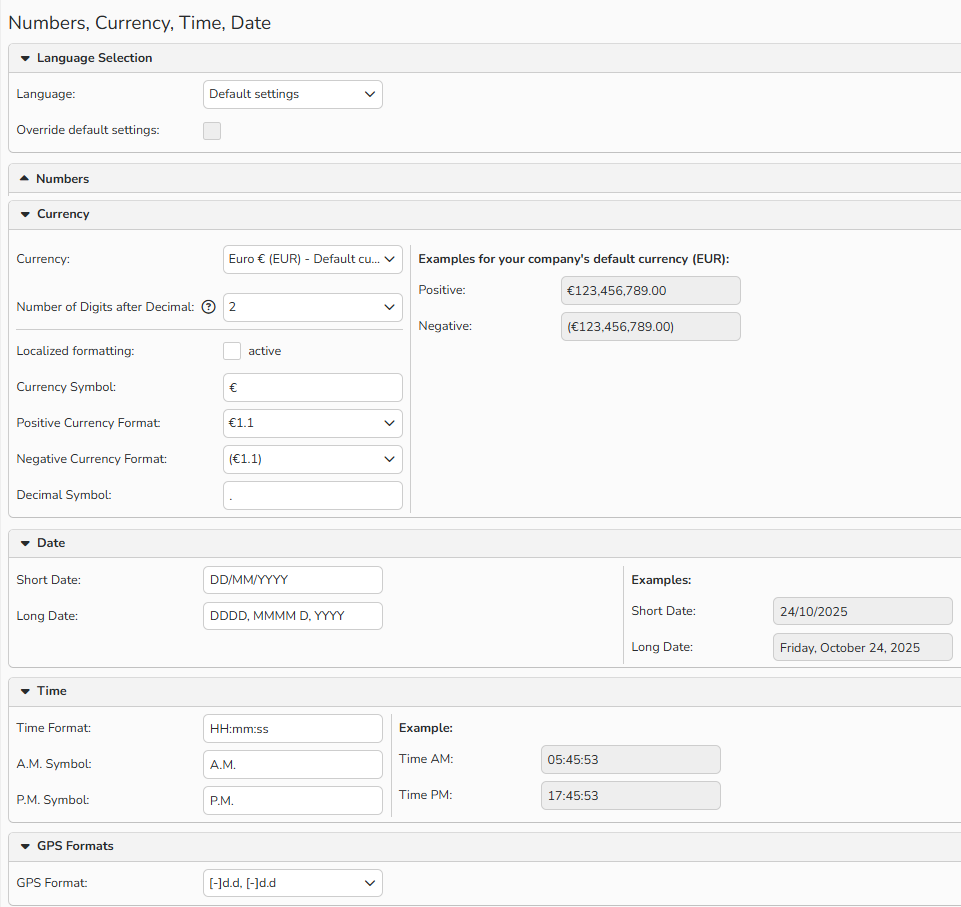
Number, Currency, Time, Date, GPS: format configuration
Set display formats for Numbers, Currencies, Dates and Times
Select your preferred formats for numbers, currencies, dates, and times under Administration > Regional Settings > Numbers, Currency, Date, Time.
On the right side, you’ll see a preview of your current settings. Save your changes to update picturemaxx Backstage.
Numbers
Set the format for decimals, digit grouping, and negative numbers.
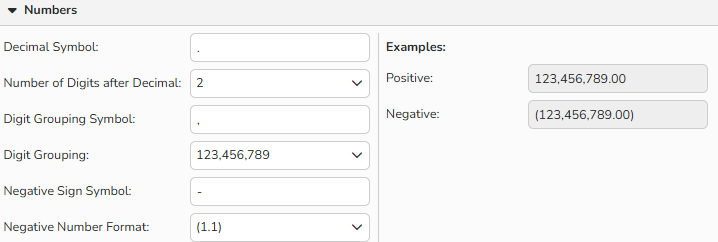
Regional Settings: Numbers format
Currency
Set the format for different currencies, including the currency symbol, decimals and digit grouping, as well as for positive and negative amounts.
Date
Define your preferred display of both long and short dates.
Time
Define your preferred time format and also specify the way you want AM and PM displayed.
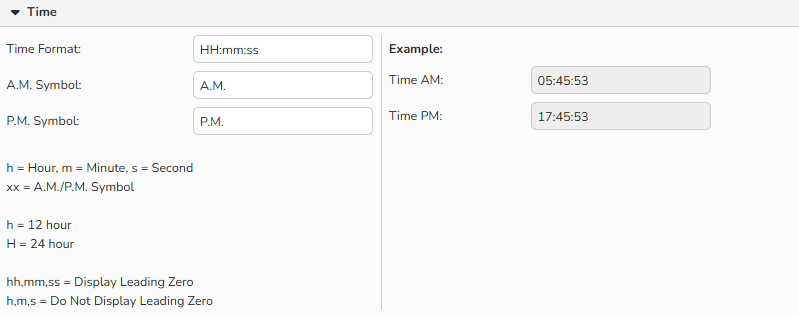
Regional Settings: Time format
GPS Formats
Here you can define the GPS format, which lets you identify where a media file was created if the file includes location data.