
Text Editor
Overview
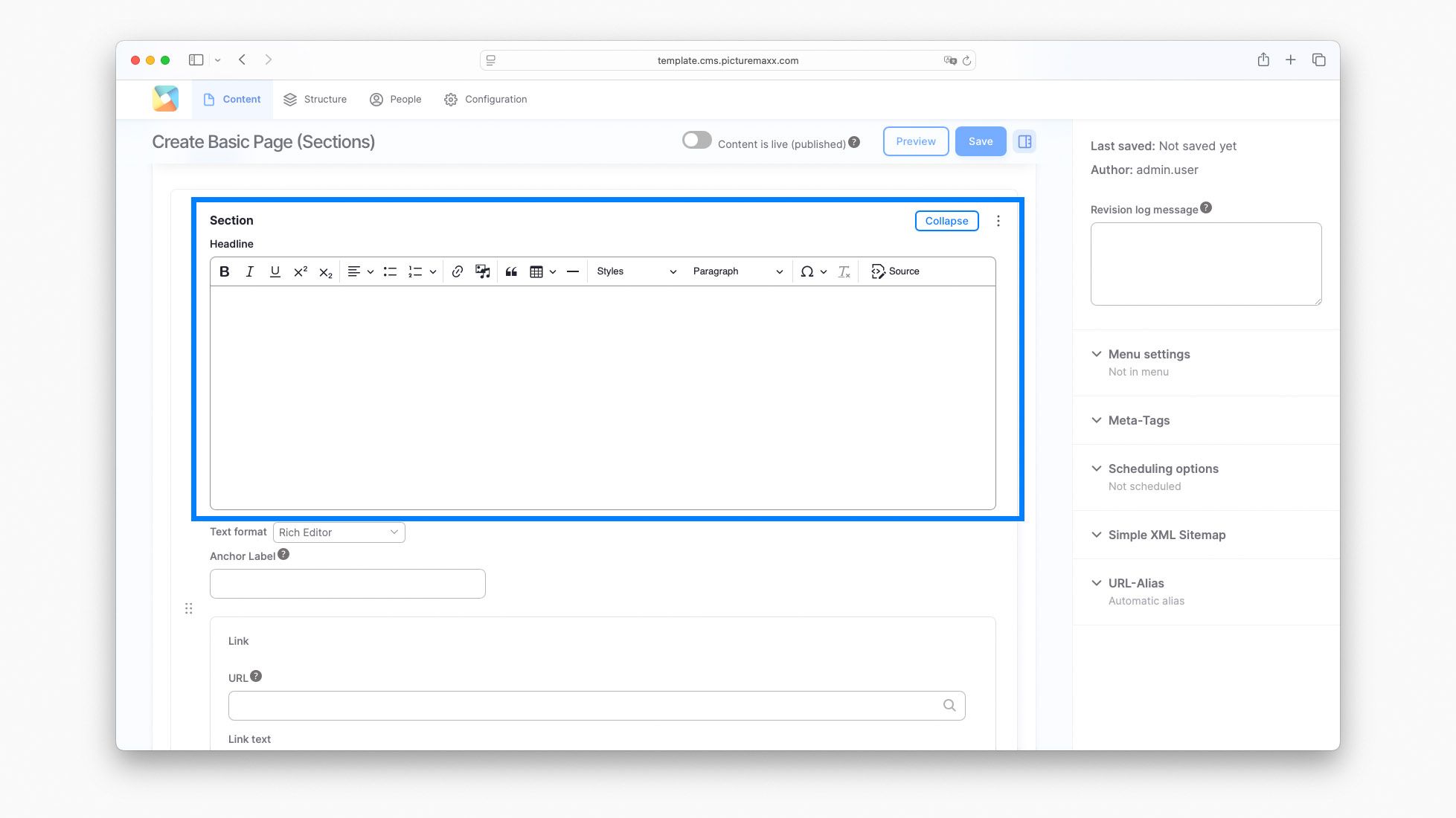
The text editor is available in every paragraph and content type. Its intuitive and compact interface helps you create and format rich content directly on your web pages without writing a single line of code.
Use the Text Editor to:
- Format and style text
- Add links to internal and external pages
- Embed images and videos
- Edit the page's HTML source code
Special Features
These features complement the standard text formatting options and help you create engaging, professional-looking content.
Add links
You can add links to both internal and external pages.
To display an external link icon, open Advanced and type is-external in the CSS classes field.
Insert Media
You can insert gif, png, jpg, jpeg files and videos (.mp4).
Note
Info (08/25): Currently it is not possible to display GIFs, but we're working on it.
Apply Styles
The Styles and Paragraph menus allow you to apply predefined formatting to your content with a single click. Use the menus to create consistent headings and highlight important information.
View and edit HTML source
The Source option lets you view and edit the HTML code behind your content.